
Does this sound familiar?
You're jumping between three or four programs just to finish one project. You're spending Sunday evenings on rendering settings instead of doing the work you actually love. You're paying hundreds a year in subscriptions and still feeling like the process is harder than it needs to be.
Or maybe you've heard about designers working on an iPad and thought:
"That sounds too simple to be real."
I thought the exact same thing.
With over a decade in interior design, I've done things the hard way.
Homes, retail spaces, beauty salons, I've worked on them all. And for years, I worked the way most designers do: AutoCAD, SketchUp, V-Ray, Photoshop. Multiple programs, complicated workflows, expensive subscriptions.
I loved this career. But slowly, the joy of creating started to fade under the weight of it all.
Then I discovered a completely different way of working. One app. One device. A process so simple it felt like cheating… and results that impressed my clients more than ever.
That's what this free guide is about.
And because reading about a new way of working is one thing, actually trying it is another, I've included a free 15-minute tutorial too. It walks you through creating a real visualisation from a photo, right inside Procreate, so you can feel how it works for yourself instead of just taking my word for it.
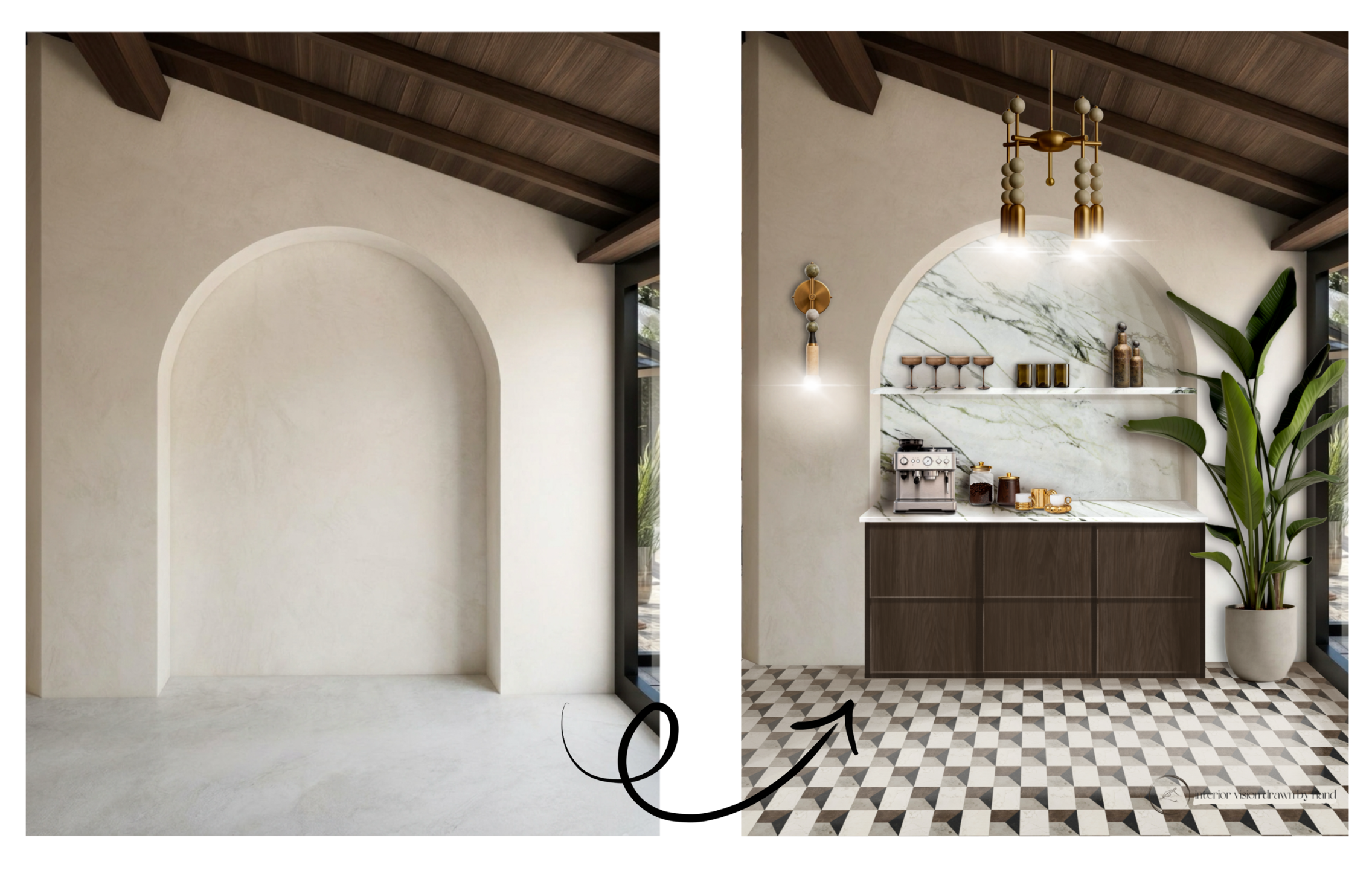
[ Describe the value ]
[ Let your users know exactly what they'll receive after opting-in and how they can utilize that value. ]
[ Freebie Opt-in message ]
[ Tease the value more. Example: "You won't want to miss out on this exclusive offer!" ]
We won't send spam. Unsubscribe at any time.